Position History
Position History Module
Position History module is a type of journaling tool that helps you to keep track of your trades and positions as well as trading fee's. It is a great way to keep track of your trading performance and to review your trades at a later date.
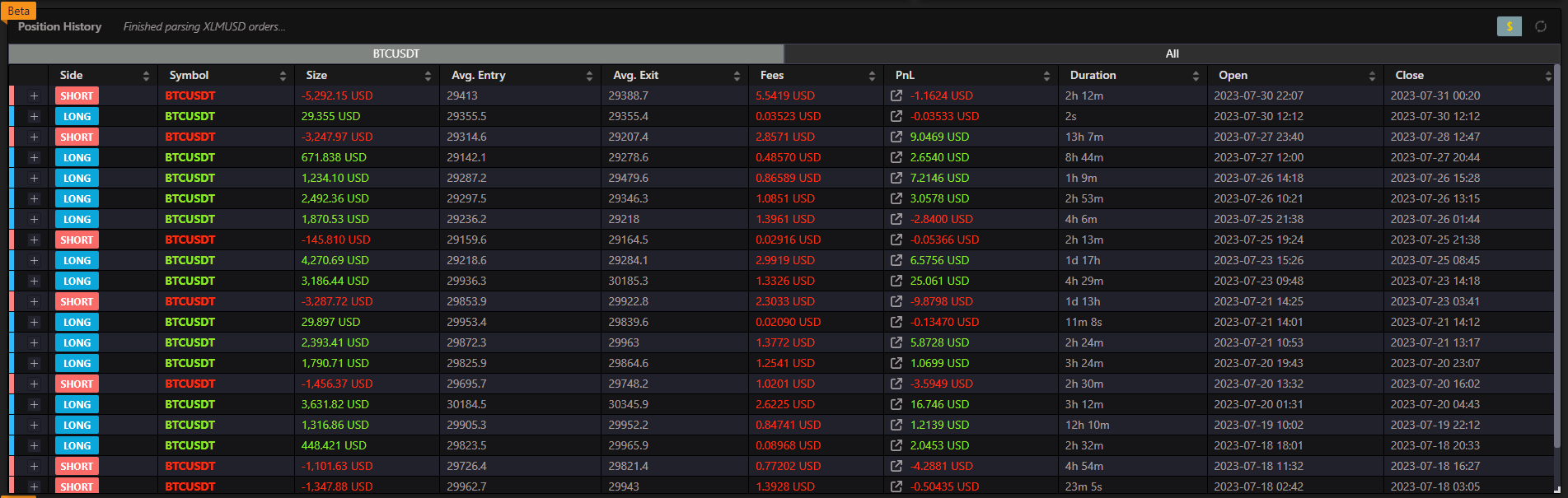
Enabling Position History
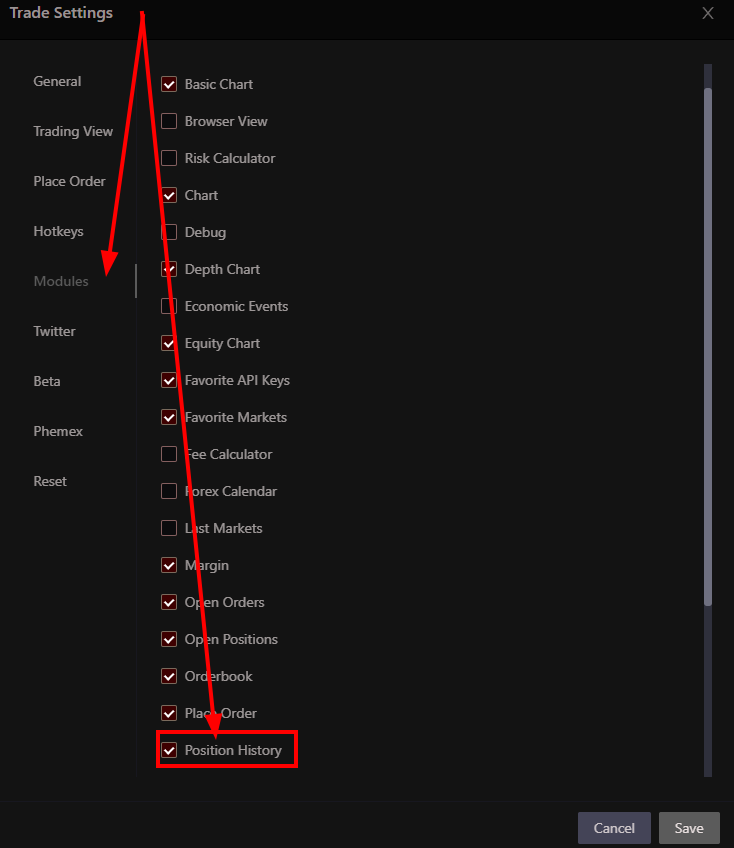
- You can enable the Position History module under the Modules tab in your Trade Settings configuration window.
Remember to unlock your layout to be able to move the module around.
Using the Position History Module
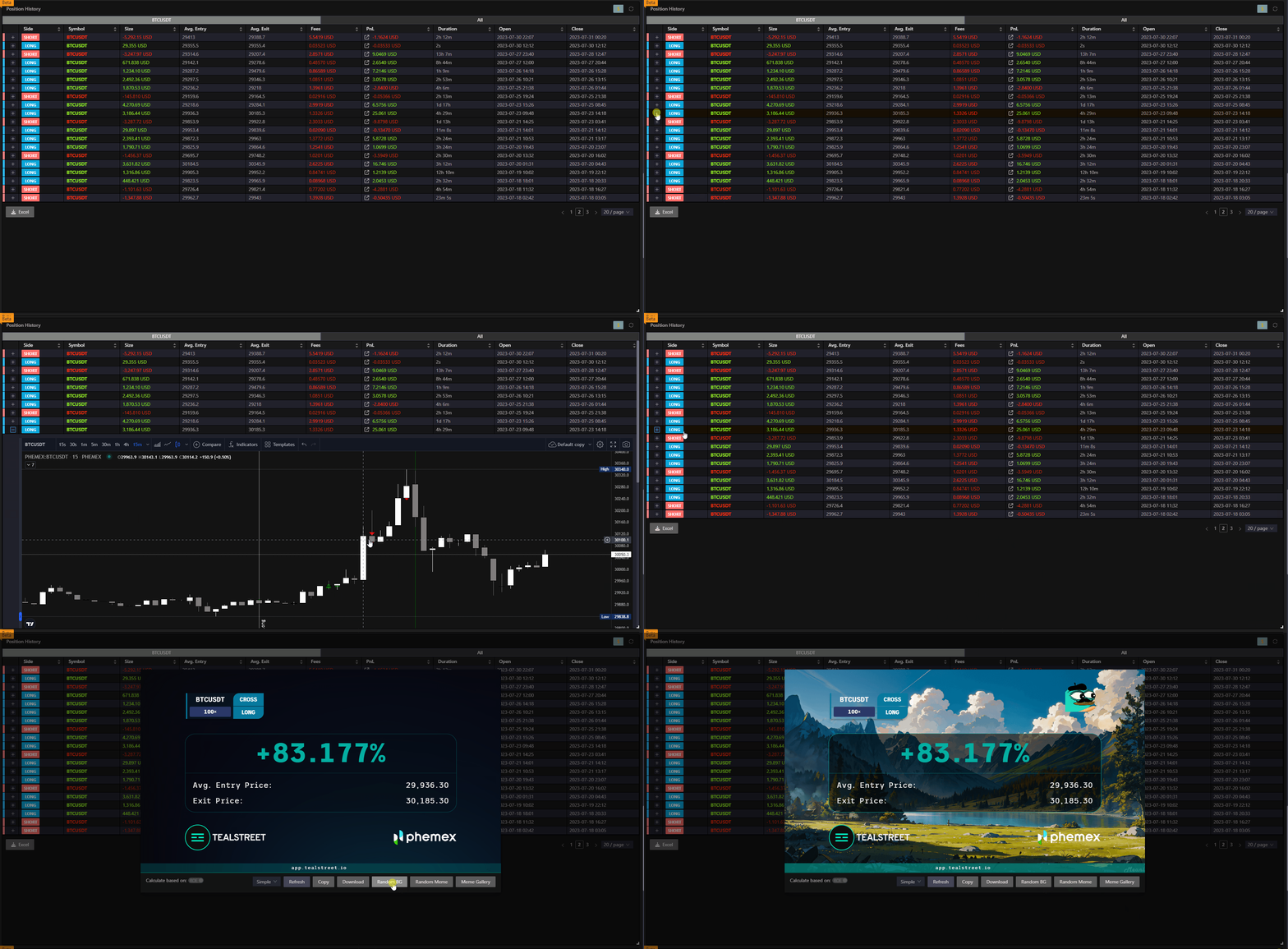
The Position History module displays a comprehensive table of your closed positions with the following information:
- Symbol - The trading pair with visual indicators for long/short positions
- Size - The position size in the base currency
- Entry Price - The average entry price of the position
- Exit Price - The average exit price when the position was closed
- Realized PnL - The actual profit or loss from the closed position
- Click the external link icon next to the PnL value to open a detailed PnL card
- Closed Time - When the position was closed
- Account - The exchange account used for the trade
Where the history comes from
Closed positions are recorded on Tealstreet's servers from your exchange's own trade history. There is nothing to enable and nothing to leave running: the history is collected for you and is the same on every device you sign in from.
This replaced the old Position History Master toggle, which asked you to nominate one desktop to watch your positions and record them. Because it worked by noticing a position disappear, it could only estimate the exit price, and it missed anything that closed while the app was shut. A close now takes about a minute to appear rather than being instant, and the figures are the exchange's.
Additional Features
- Pagination - Navigate through large numbers of closed positions with configurable page sizes
- Sorting - Click any column header to sort the data
- Privacy Mode - Sensitive data is hidden when privacy mode is enabled
- Responsive Design - The table adapts to different screen sizes
Support varies by exchange. Where your exchange does not publish a closed-position history, this module will stay empty even though your trades went through — the Fills module still shows the individual executions.
Not every exchange provides the data needed to calculate the position history. If you are using an exchange that does not provide this data, you will not be able to use this module for the time being.