Arkham


Connecting Arkham to Tealstreet
Arkham is a cryptocurrency derivatives exchange offering perpetual futures trading with competitive fees and deep liquidity. The platform provides institutional-grade trading infrastructure with a focus on transparency and performance.
- Log into your Tealstreet account.
It's a good idea to keep both Tealstreet and Arkham tabs open for the duration of this process.
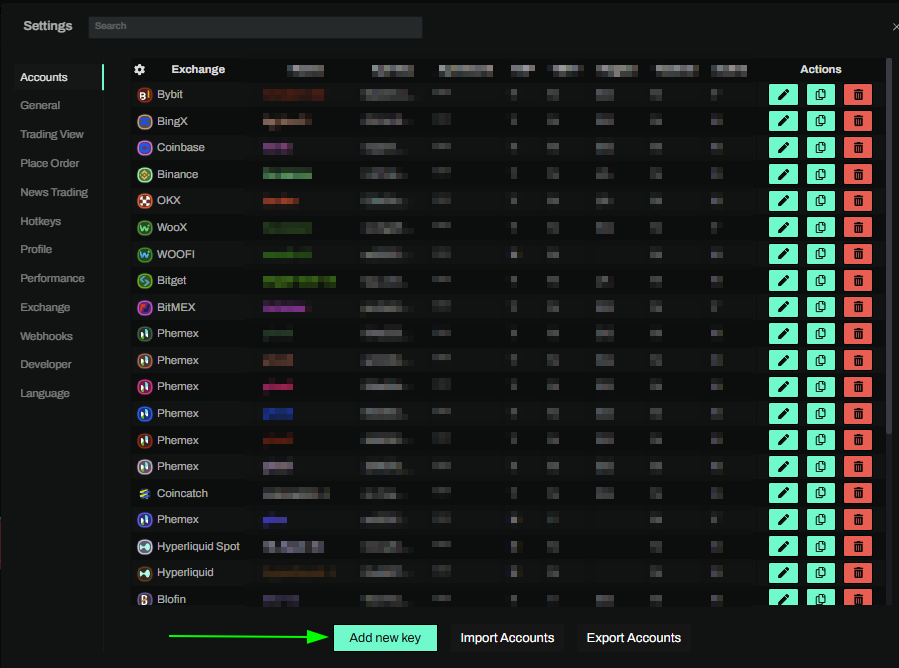
- Click the 'Settings' button near the top right corner of the terminal.

- Click the 'Add new key' button at the bottom of the settings page.
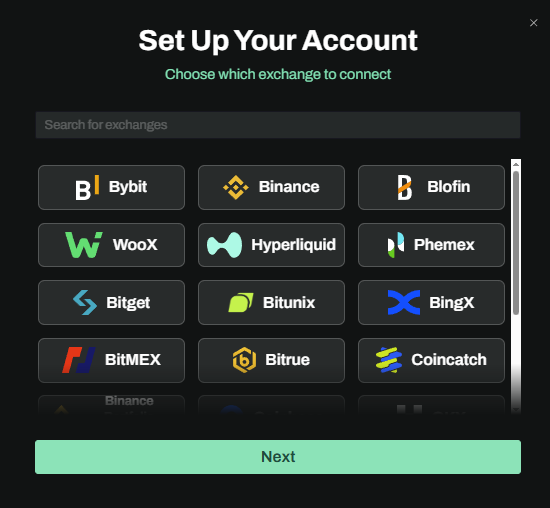
- Choose Arkham from the exchange selection menu.
Okay lets go back to our Arkham account and create the API Key.
Creating the API Key
- Now we are ready to generate the API Key. Head on over to Arkham and:
- Login or create your account if you haven't already
Once you have logged in:
- Click on the settings gear icon in the top right corner of the page
- Select API from the topbar categories
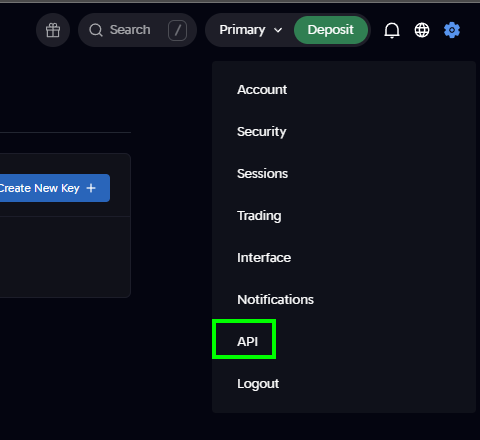
You can get to this page directly by navigating to the Api Settings page.
API Key Settings
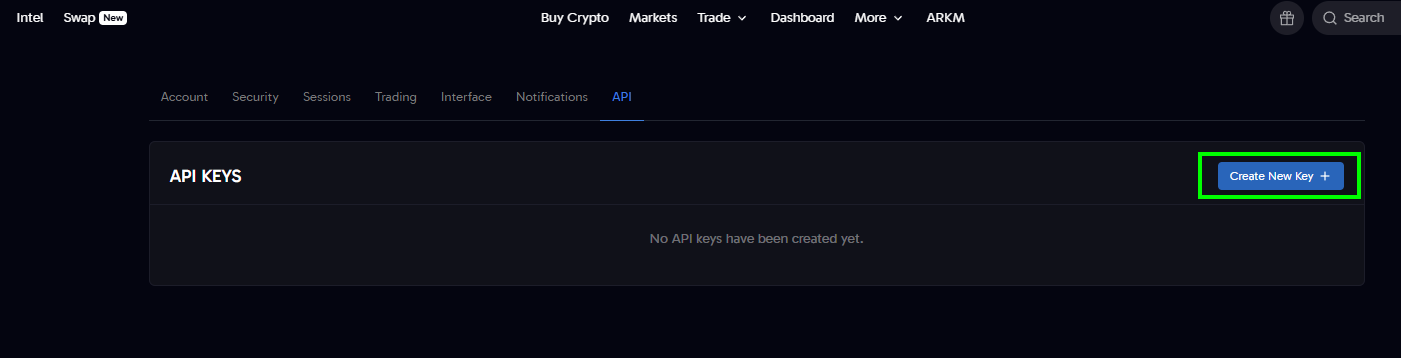
Click the Create API Key button to start the key creation process.
-
Name your API Key: Choose a descriptive name (e.g., "Tealstreet")
- This name only shows on Arkham's website for your reference
-
Permissions: Ensure the following permissions are enabled:
- Enable Read - Required for fetching account data
- Enable Write - Required for placing orders
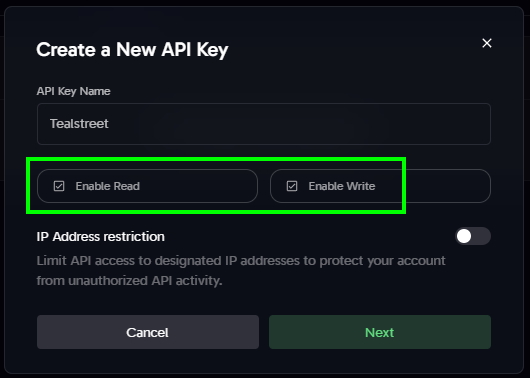
IP whitelisting is not currently supported for Arkham.
- Click Next to generate your API Key * If you have not completed KYC, you will get an error and be unable to create the API Key. Complete the KYC process and try again.

- Save your credentials: Copy and store your API Key and API Secret securely
- The API Secret is typically only shown once, so make sure to save it immediately
Never share your API Keys with anyone. Tealstreet team members will never ask you what your API key is.
Connecting the key to Tealstreet
Now back to where we left the Tealstreet API page:
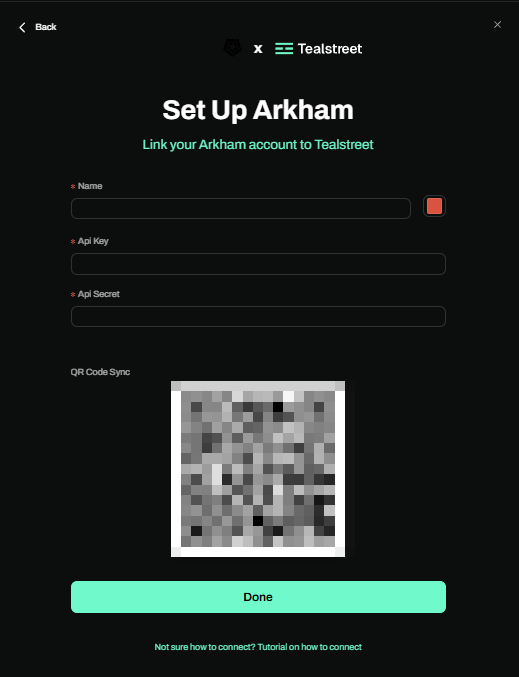
- Proceed to fill out the form with the information you got when you created the API on the Arkham website:
- Name: Give the key a name, this can be anything you want.
- Color: Choose the color you want your API to be in the terminal.
- API Key: The API Key you created on Arkham.
- API Secret: The API Secret you received when creating the key.
- Click the Done button.
Never share your API Keys with anyone. Tealstreet team members will never ask you what your API key is.
Be sure to double check you do not confuse API Key and API Secret. Connecting your Arkham exchange account to Tealstreet will not work if these fields are not entered correctly.
If all the details are correct, you will have successfully linked your Arkham account to Tealstreet.
- Close the Settings page and navigate to the Main Trading page. Select the Arkham account you just linked to enable it.
- If properly linked, you will see your balance appear in the Margin window of Tealstreet. Happy trading!!!
- For more information check out our Quick Start Guide.
Frequently Asked Questions
-
What is Arkham?
- Arkham is a cryptocurrency derivatives exchange offering perpetual futures trading with competitive fees and institutional-grade infrastructure.
-
Is it safe to use API keys?
- Yes, when configured correctly. Always use IP whitelisting and never enable withdrawal permissions for trading APIs.
-
Where can I get more help?
- Visit the Arkham Help Center for comprehensive documentation and support, or join the Tealstreet Discord for community assistance.
Additional Resources
- Arkham Main Website: arkm.com
- Arkham Support: Contact Arkham's support team for exchange-specific issues
- Tealstreet Discord: discord.gg/tealstreet